Enable gzip and Brotli compression to make pages load faster
Compression shrinks HTML, CSS and JavaScript by 70–80%. Learn how to turn on gzip or Brotli in Apache, Nginx, Cloudflare and WordPress, and how to check it works.
By the WebTools team · Published 2026-11-10 · 1 min read
Text files such as HTML, CSS and JavaScript compress extremely well. With compression turned on, a 120 KB page travels as about 25 KB, which matters most on phones and slow connections.
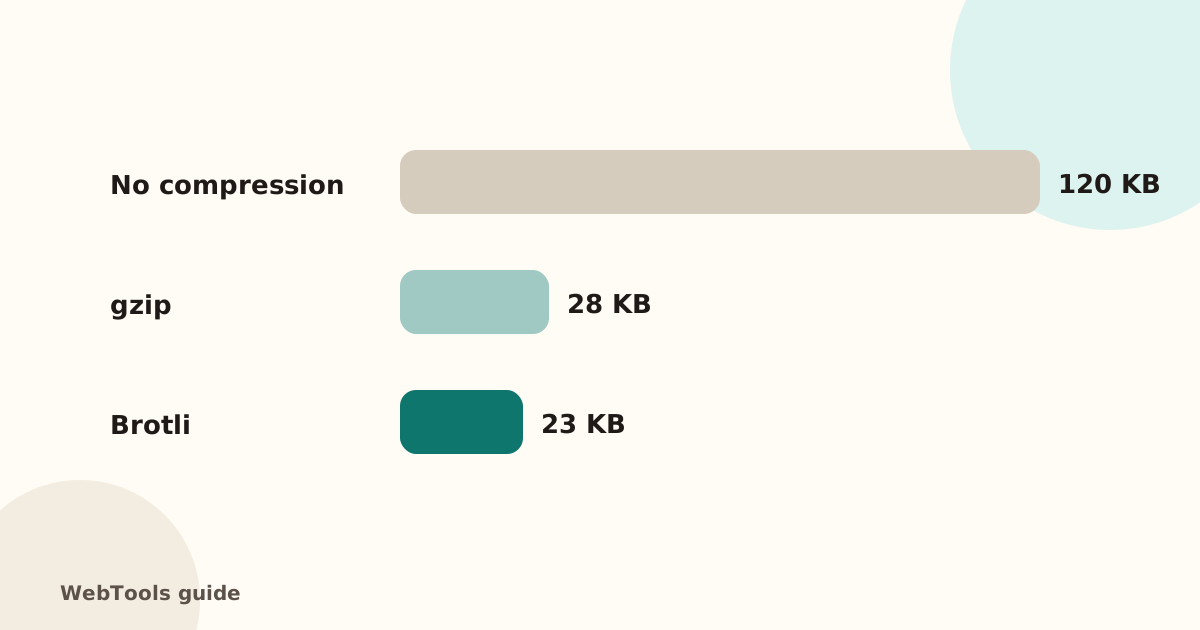
Is it on?
The SEO audit checks the Content-Encoding of every page and lists pages sent without compression. You can also see it in your browser's developer tools → Network → the page → Response headers.
Apache
Most hosts have mod_deflate. Add this to .htaccess:
<IfModule mod_deflate.c>
  AddOutputFilterByType DEFLATE text/html text/css text/plain application/javascript application/json image/svg+xml
</IfModule>
Nginx
In the http block: gzip on; and gzip_types with the text types above. Brotli needs the ngx_brotli module.
Cloudflare and CDNs
Cloudflare compresses text automatically (gzip and Brotli) for proxied traffic. Check the DNS record has the orange cloud.
WordPress
Caching plugins such as WP Rocket, W3 Total Cache and LiteSpeed Cache can enable compression, as long as your server allows it.
Very large HTML
If a page is over 500 KB of HTML even before compression, look for inline images (base64), huge menus or long product lists rendered at once. Split long lists into pages. For other speed wins, see image optimisation and render-blocking scripts.
Questions about this topic
gzip or Brotli?
Brotli compresses text a bit better and every modern browser supports it. Use Brotli where available, with gzip as the fallback; servers pick automatically.
Should images be compressed with gzip?
No. JPEG, PNG, WebP and AVIF are already compressed. Compress text files: HTML, CSS, JavaScript, JSON, SVG and fonts like TTF.
Related guides
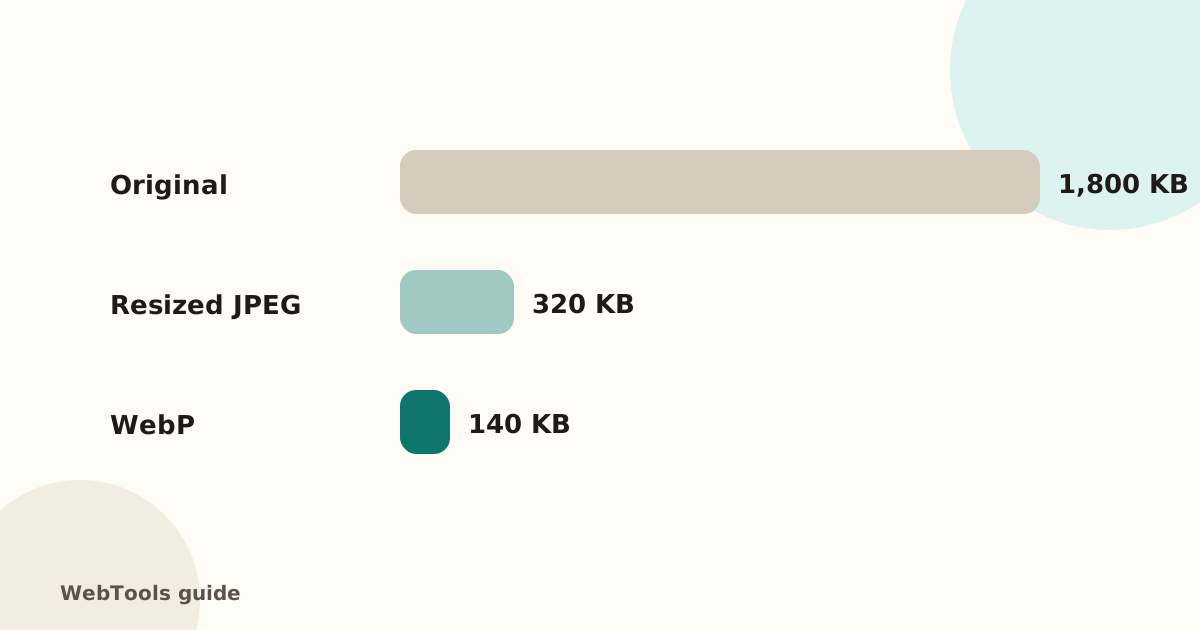 SpeedOptimise images for the web: size, WebP/AVIF and cachingHeavy images are the top reason pages load slowly. Learn how to resize and compress images, switch to WebP or AVIF, lazy-load them and set browser caching.1 min read
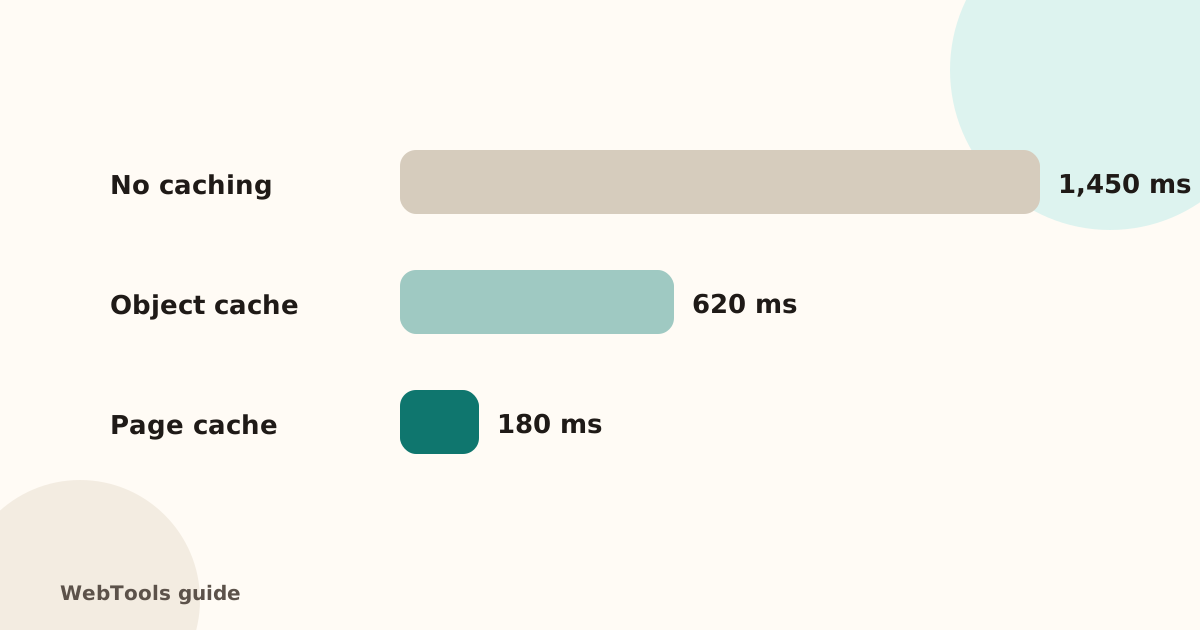 SpeedHow to reduce server response time (TTFB) below 800 msA slow server response (TTFB) delays every page. Learn what a good TTFB is and how to cut it with caching, a CDN, faster hosting and fewer slow plugins.2 min read
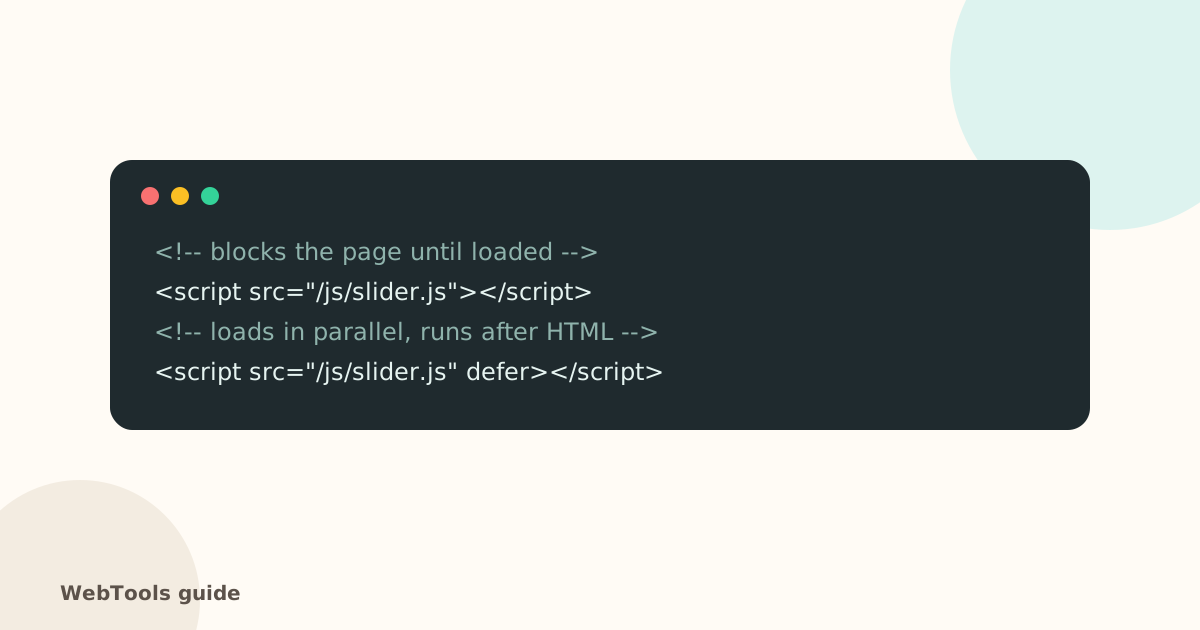 SpeedRender-blocking scripts: use defer and async to show pages soonerScripts in the page head without defer or async stop the page from appearing. Learn the difference between defer and async and how to trim third-party scripts.1 min read