Structured data (schema.org): a beginner's guide to rich results
Structured data helps Google understand your pages and show rich results like logos, ratings, prices and FAQs. Learn which schema types to add and how to fix JSON-LD errors.
By the WebTools team · Published 2026-11-10 · 1 min read
Structured data is a small block of code that describes your page in a language search engines understand: this is a business, this is a product with a price, this is a recipe, these are FAQs. It can turn a plain blue link into a rich result.
Start with these types
- Organization (or LocalBusiness with address and opening hours) on the homepage.
- WebSite on the homepage.
- Product with price and availability on product pages.
- Article or BlogPosting on blog posts.
- BreadcrumbList to show the page path in results.
- FAQPage where you have real questions and answers.
How to add it
- WordPress: Yoast SEO and Rank Math add Organization, WebSite, Article and breadcrumbs automatically; fill in your organisation details in the plugin settings.
- Shopify: most themes include Product markup; check that price and availability are present.
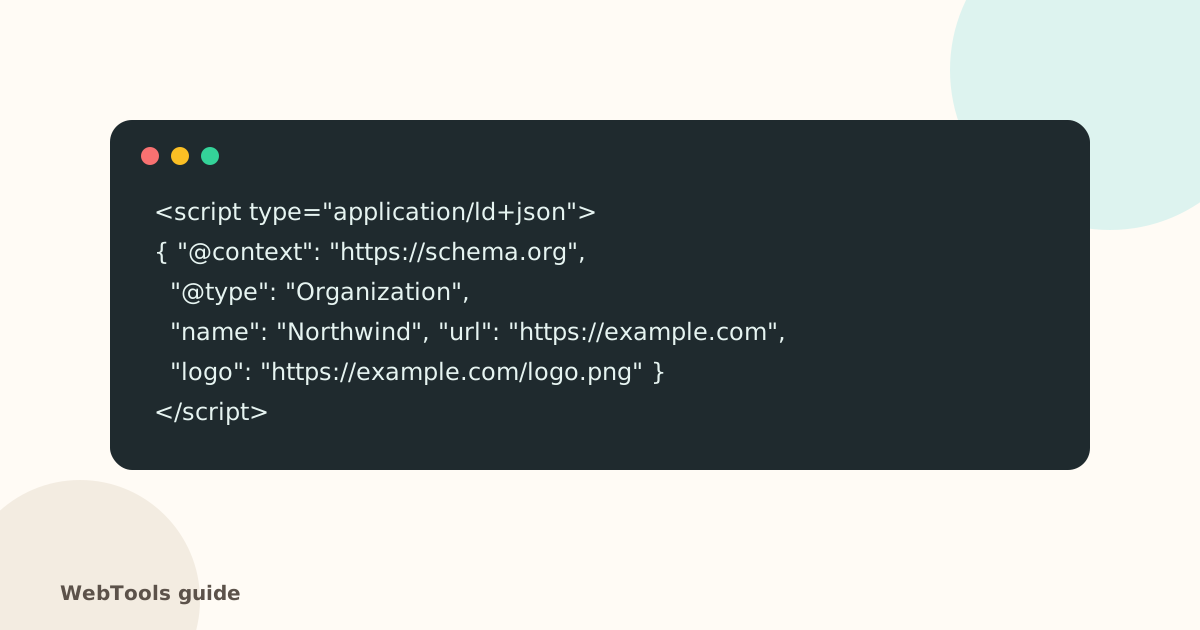
- Other sites: paste a JSON-LD script block into the page head, like the example above.
Test and fix
- Use Google's Rich Results Test or the Schema Markup Validator.
- Fix syntax errors: a missing comma or quote makes the whole block unreadable. The SEO audit flags JSON-LD that can't be parsed.
- Only mark up what's visible on the page. Hidden or misleading markup can lead to a manual action.
Pair structured data with good Open Graph tags so your pages look right everywhere they're shared.
Questions about this topic
Does structured data improve rankings?
Not directly. It makes your page eligible for rich results, which stand out and often get more clicks.
Which format should I use?
JSON-LD. It's Google's recommended format and sits in one script block, separate from your HTML.
Related guides
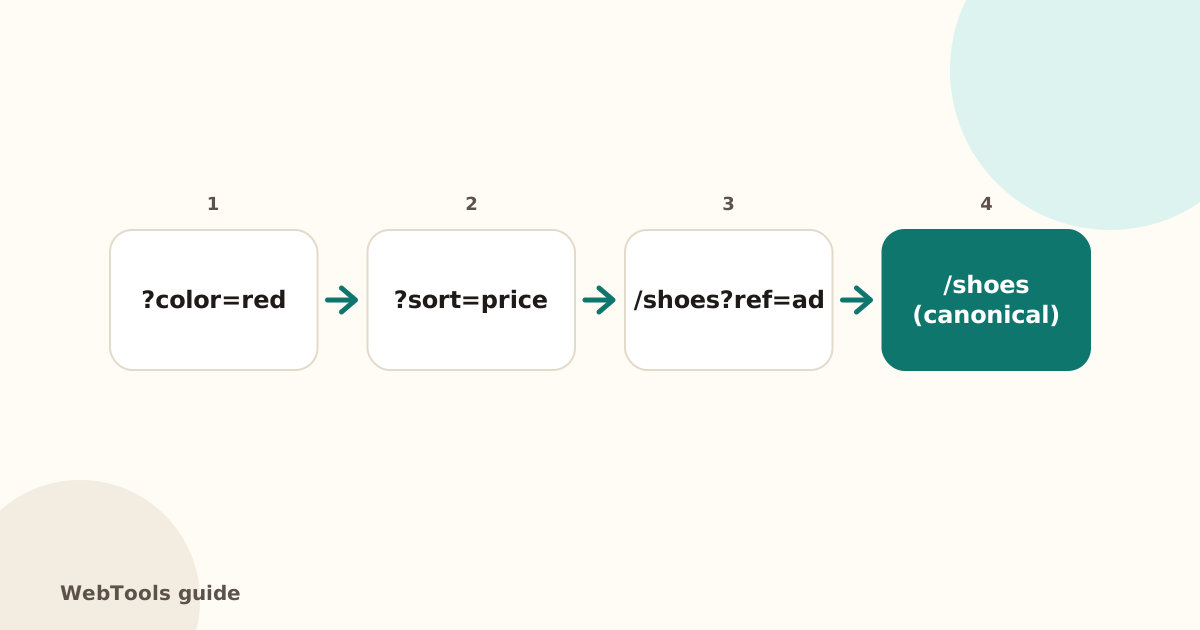 SEOCanonical tags: fix duplicate content the right wayA canonical tag tells Google which address is the main copy of a page. Learn when to use it, how to add it, and how to fix missing, wrong and duplicate canonicals.1 min read
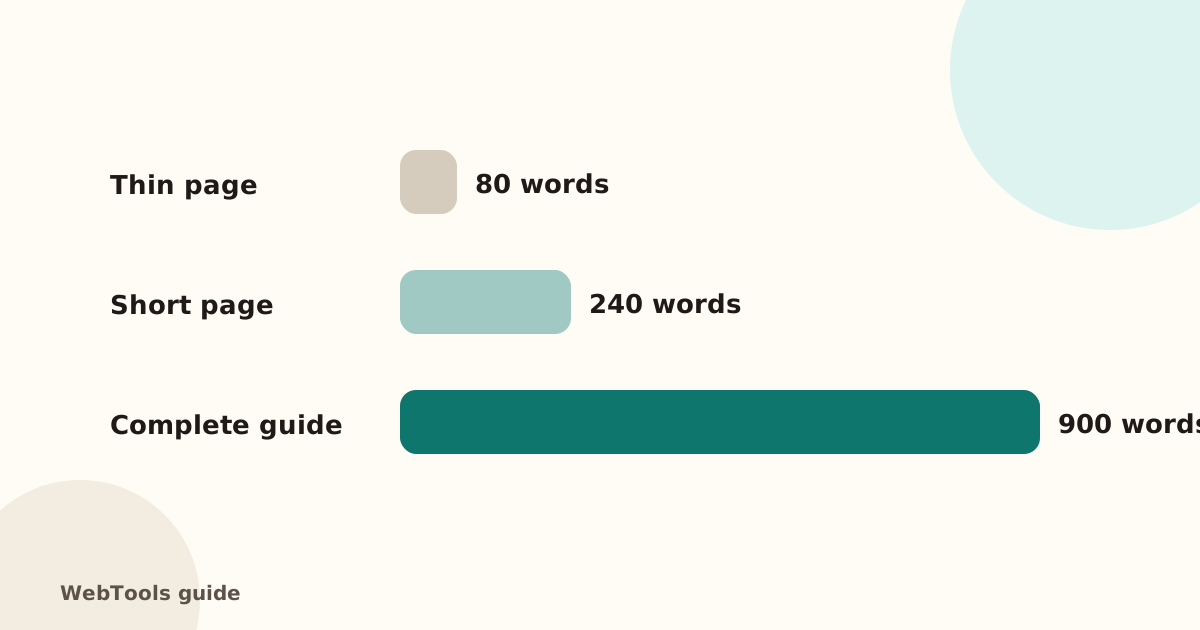 SEOThin content: how much text does a page need to rank?Pages with very little text rarely rank. Learn what thin content is, when short pages are fine, and how to expand or merge pages so they answer the searcher's question.1 min read
 SEOFavicon: add the small icon Google and browsers showA favicon appears in browser tabs, bookmarks and next to your site in Google's mobile results. See the sizes you need and how to add one in WordPress, Shopify and HTML.1 min read