The HTML lang attribute: why your page needs a language
The lang attribute tells browsers, screen readers and translation tools which language your page is in. Learn how to set it correctly in WordPress, Shopify and HTML.
By the WebTools team · Published 2026-11-10 · 1 min read
One small attribute on the html tag tells every tool which language your page is written in. Without it, a screen reader may read English text with a Hungarian accent, and browsers offer the wrong translation.
How to set it
- WordPress: set Settings → General → Site Language; themes output it automatically. Multilingual plugins set it per language.
- Shopify: set the store's default language under Settings → Languages; themes use it.
- Wix and Squarespace: set the site language in the site settings.
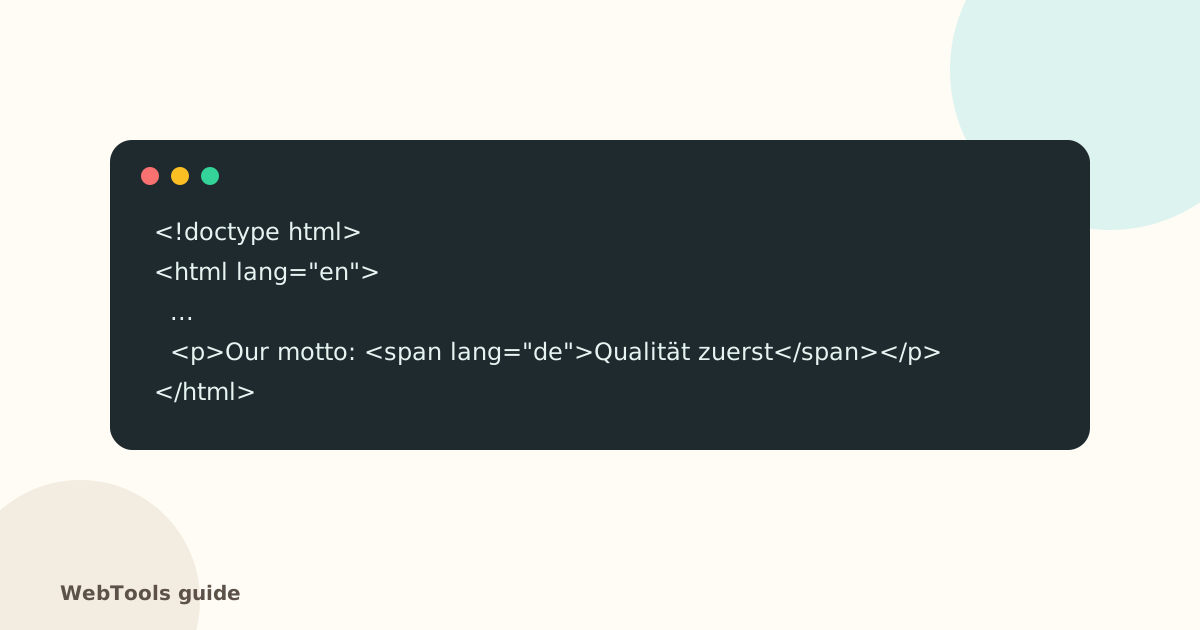
- HTML: put lang="en" (or your language) on the html element.
Mixed languages
Mark a passage in another language with its own lang attribute, like the German phrase in the example above.
Related checks
For sites in several languages, also set up hreflang. The SEO audit lists every page without a lang attribute, along with the other accessibility basics.
Questions about this topic
Which code should I use?
The ISO language code, optionally with a region: en, en-GB, de, de-AT, hu. Use the language the page content is written in.
Does the lang attribute affect SEO?
Google detects language mostly from the text, but lang helps browsers offer the right translation and is required for accessibility (WCAG 3.1.1).
Related guides
 AccessibilityAccessible links, buttons and forms: quick fixes that help everyoneForm fields without labels, empty icon buttons and "click here" links confuse screen reader users. Learn the quick fixes that make your site usable for everyone.1 min read
 AccessibilityImage alt text: how to write it for SEO and accessibilityAlt text describes images for screen readers and Google Images. Learn how to write good alt text, when to leave it empty, and how to add it in WordPress, Shopify and Wix.1 min read
 AccessibilityMobile-friendly pages: the viewport tag and zoomWithout a viewport meta tag, phones show a tiny desktop page. Learn the correct viewport tag, why you shouldn't block zoom, and how to check mobile-friendliness.1 min read